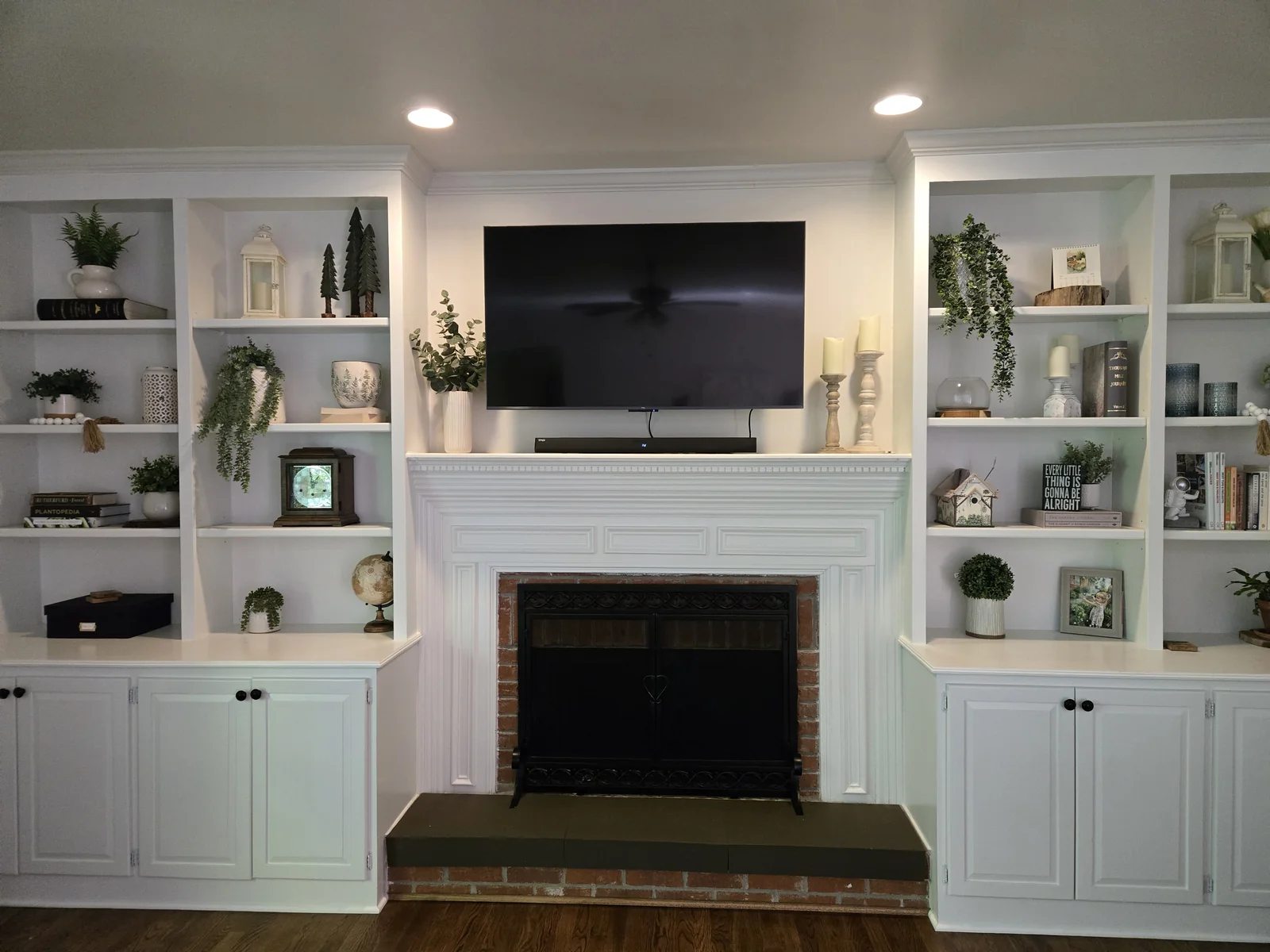
I’ve installed three TVs in our house. Same mount, same lag bolts, same method every time. None of them have moved. None of them have cracked drywall around the bracket. None of them have given me a moment of worry, even when one of the kids hangs off the bottom corner pulling it forward.
The reason it works is boring: every mount is bolted into wall studs with 3/8-inch lag bolts. There’s no clever drywall anchor system. There’s no special trick. Get the screws into the studs and the TV stays on the wall.
This guide is the actual method I used on the most recent install — the bracket and bolts shown in the photos are real. If you’re about to mount your first TV, follow these steps and you’ll be fine.
Quick answer: Use a full-motion TV wall mount sized for your TV, find your studs with a stud finder, and drive four 3/8” x 3” lag bolts through the bracket into the studs. Don’t use drywall anchors — they will fail.
Why You Can’t Just Use Drywall Anchors
Most TV install advice gets this wrong by hedging — “you can use heavy-duty toggle bolts if you can’t find a stud.” Don’t.
A 65-inch TV is 50 pounds. Add a full-motion mount that extends 14 inches off the wall, and the load on the wall isn’t static — it’s a cantilever. Pulling the TV away from the wall multiplies the force at the bolts. A 50-pound TV pulled 14 inches out can put 80+ pounds of pulling force back at the wall mount.
Drywall anchors handle pulling force the way a pencil holds up a brick. The drywall paper around the anchor tears, the anchor pulls through, and the TV comes off the wall. I’ve seen it happen at a friend’s house — the anchors held for 18 months, then one Saturday afternoon the whole thing pulled out of the wall during a Netflix show. The cost: a destroyed TV, a hole in the wall, and a week of drywall repair.
Hit. The. Studs. The lag-bolt-into-stud method I describe below is the only approach I’d trust with a TV that costs more than $200.
What You’ll Need
Tools:
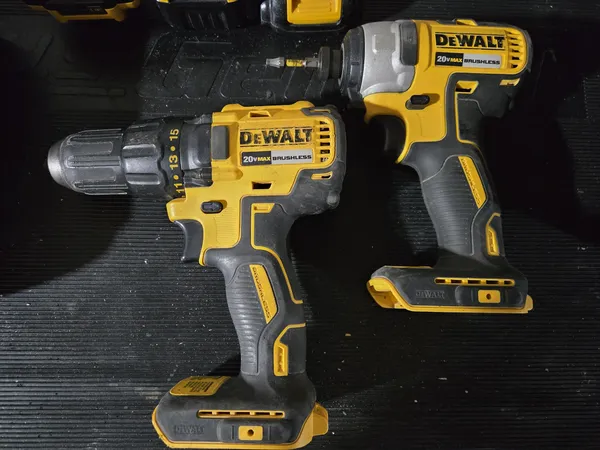
- DeWalt 20V drill and impact driver kit — the drill only pre-drills the pilot holes; the impact driver with a socket adapter runs the lag bolts in
- Stud finder — non-negotiable for finding stud centers accurately
- 1/4-inch drill bit (for pilot holes)
- 9/16-inch socket adapter or hex driver bit (most lag bolt kits include the bit)
- Bubble level or self-leveling laser
- Tape measure
- Pencil
Hardware:
- Full-motion TV wall mount sized for your TV. Verify your TV’s VESA pattern (the spacing of the bolt holes on the back) before buying.
- Four 3/8-inch x 3-inch lag bolts with washers. Most TV mounts include hardware in the box, but the included bolts are often too short for thick drywall or skip the washers that distribute load. I always use my own.
Step-by-Step Install
Step 1: Find Your Studs
Use a stud finder to locate two adjacent studs in the area where the TV will go. Most modern TV mounts are designed to span 16-inch on-center stud spacing, with two bracket holes per stud.
Slide the stud finder horizontally and mark each stud’s left edge, right edge, and center with a pencil. The center is what you’ll bolt into. Verify by checking 6 inches above and below — false positives near outlets and pipes are common.
If your studs are spaced 12 inches on center (older homes) or further apart, double-check that your TV mount’s bracket can accommodate that spacing before you start drilling.
Step 2: Mark the Mount Position
Decide where the TV goes vertically. Most living rooms put the center of the TV at eye level when seated — typically 42 to 48 inches off the floor depending on couch height. The mount’s wall bracket sits behind the TV, so you’ll be marking the wall bracket position, not the TV center.
Hold the wall bracket against the wall at the height you want, level it with a bubble level or laser line, and mark through the bracket’s bolt holes onto the wall. Make sure the marks fall on your stud center lines from Step 1. If they don’t, shift the bracket left or right until they do.
Step 3: Pre-Drill the Pilot Holes
Drill a 1/4-inch pilot hole at each marked spot, going through the drywall and at least 2 inches into the stud behind it. The pilot hole prevents the lag bolt from splitting the stud — especially important on older 2x4s near the edge of the stud.
Don’t skip this step. Driving a 3/8-inch lag bolt without a pilot hole into a dry 2x4 will sometimes split the stud, which kills the holding strength of the bolt entirely.
Step 4: Bolt the Wall Bracket to the Studs
Slide a washer onto each 3/8” x 3” lag bolt, pass the bolt through the wall bracket hole, and start it into the pilot hole by hand. Use a 9/16-inch socket adapter on an impact driver to drive the bolts the rest of the way in.
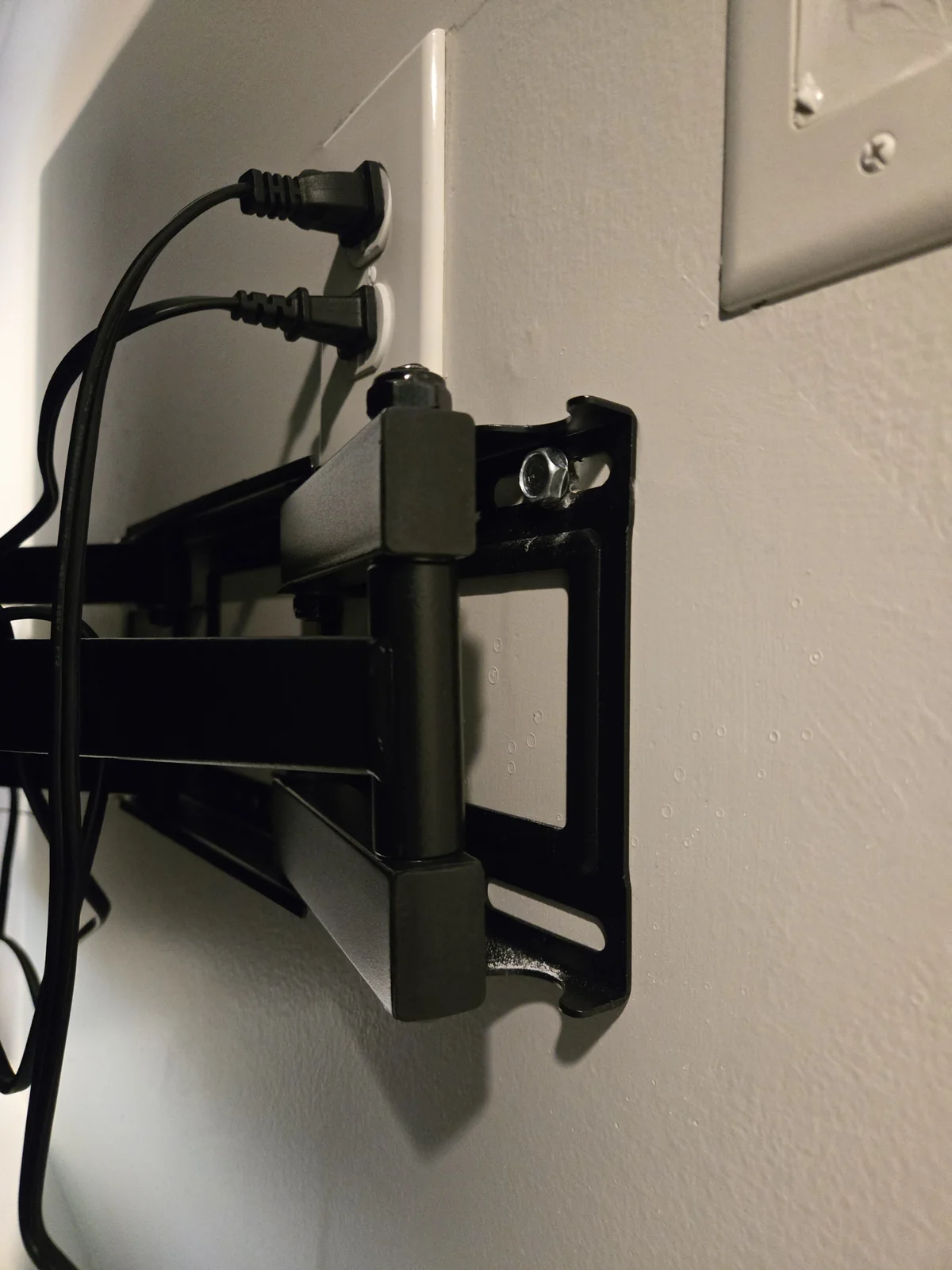
Stop driving when the washer is flush against the bracket and the bracket pulls tight to the wall. Don’t overdrive — stripping the head of the lag bolt or splitting the stud are both worse than stopping a quarter-turn early.
The bracket should not move at all when you grab it and pull. If it does, you missed the stud on at least one bolt. Back the bolt out and check.
Step 5: Attach the TV-Side Bracket
Most full-motion mounts are two-piece: the wall bracket you just installed, and a TV bracket that bolts to the back of the TV. Lay the TV face-down on a soft surface (a blanket on a couch works), look up the VESA bolt pattern for your specific TV model, and attach the TV bracket using the bolts that came with the mount.
The kit usually has multiple bolt lengths to match different TV depths. Pick the size that’s long enough to thread fully into the TV’s threaded inserts but doesn’t bottom out.
Step 6: Hang the TV on the Wall Bracket
Most full-motion mounts use a hook-and-latch system: the TV bracket has hooks at the top that drop into a slot on the wall bracket. Lift the TV (this is a two-person job for anything 50 inches or larger), align the hooks with the slot, and lower it into position.
There’s usually a safety lock or set screw at the bottom that engages once the TV is hung. Make sure that’s locked before you let go of the TV.
Step 7: Adjust Tilt and Level
The TV bracket usually has fine-adjustment screws for leveling and tilt. Use a bubble level on top of the TV to confirm it’s level, and adjust the tilt to your seating angle (most people prefer a 5-10 degree downward tilt if the TV is mounted higher than seated eye level).
Mistakes I Made on My First Install
Trying to use the bolts that came in the mount box. The bolts in the box were 2 inches long. Driving them through 1/2-inch drywall left only 1.5 inches of bolt in the stud — borderline acceptable for a static mount, not enough for a full-motion arm. Bought 3-inch lag bolts and swapped them out. Always check the included hardware before assuming it’s the right size.
Not pre-drilling on a dry stud. I drove a lag bolt without a pilot hole on TV #2 and split the stud. Had to back the bolt out, fill the split with wood glue, let it dry overnight, and pre-drill before re-driving. Pre-drilling adds 30 seconds per bolt. Skipping it can cost you a day.
Mounting too high. TV #1 is mounted about 4 inches higher than I’d put it now. Once couches and seating are arranged, the TV ends up pointing at our foreheads instead of our eyes. Sit on the couch first, then decide TV height. Use painters tape on the wall to mark the corners of the screen at different heights and pick the one that looks right from your actual seat.
Product Comparison
| Product | Rating | What It’s For |
|---|---|---|
| USX MOUNT Full Motion | 4.5/5 | The mount I’ve used 3 times — 32-70” TVs |
| BNUOK 3/8” x 3” Lag Bolts | 4.8/5 | The right size lag bolt, with washers |
| DEWALT 3-Way Laser Level | 4.6/5 | Optional but makes mount layout effortless |
Frequently Asked Questions
What’s the best way to mount a TV on drywall?
Lag bolts driven directly into wall studs. Drywall anchors of any kind — even heavy-duty toggle bolts — are not rated for the dynamic, cantilevered load of a TV mount. Use four 3/8-inch x 3-inch lag bolts through the wall bracket into two adjacent studs.
Can I mount a TV with drywall anchors instead of studs?
No. Even toggle bolts, which hold up to 100 pounds in static load, are not safe for a TV mount because the load isn’t static. Pulling on the arm or knocking the TV adds significant force at the bolts, which drywall anchors aren’t designed for. You need to hit a stud.
How many lag bolts do I need to mount a TV?
For a TV up to 70 inches, four 3/8-inch x 3-inch lag bolts driven through the mount’s bracket into wall studs is the standard. Most modern TV mounts span two adjacent 16-inch-on-center studs with two bolts per stud.
What if my studs are spaced 24 inches on center?
Older homes sometimes have studs at 24-inch spacing. Verify your mount’s bracket is wide enough to span 24 inches before buying — many full-motion mounts are designed for 16-inch or smaller spacing. The USX MOUNT accommodates 12 or 16 inch spacing but not 24.
Do I need a stud finder, or can I knock to find studs?
Get a stud finder. Knocking is unreliable — modern drywall and double-sheet construction sound the same in stud and non-stud areas. A $30 stud finder will save you from drilling a hole that misses the stud, which means a hole in your wall and no support for the TV.
Bottom Line
- Always mount into studs. Drywall anchors will fail under cantilever load — even toggle bolts. Use 3/8” x 3” lag bolts into two adjacent studs, four bolts total.
- Pre-drill every pilot hole. Skipping this can split the stud and kill the bolt’s holding strength. 30 seconds well spent.
- Use your own lag bolts and washers — the bolts in the mount’s box are usually too short.
- Sit on the couch before you decide TV height. Mounting too high is the most common regret.
- Get a stud finder. Knocking doesn’t work, and missing a stud is the worst possible outcome.
If you’re just starting a wall-mount project, my drywall anchors guide covers when each type of anchor is appropriate. For garage rail systems that use a similar “into the studs” principle (but with construction screws, not lag bolts), check out my Rubbermaid FastTrack install guide.
Products Mentioned in This Article

USX MOUNT Full Motion TV Wall Mount (32-70 in, up to 99 lbs)
Full-motion dual-arm TV wall mount for 32-70 inch TVs up to 99 lbs. 13.89-inch extension, swivel and tilt. Fits 12-inch or 16-inch on-center wood studs.
- I've used this same mount for three TVs in our house with zero issues
- Dual articulating arms swivel and tilt for any seating position
- Cold-rolled steel construction holds up to 99 lbs of TV
- Fits both 16-inch and 12-inch stud spacing — works in older homes too
- About a quarter the price of brand-name mounts with the same specs
- VESA pattern up to 400x400mm — won't fit some 75"+ TVs
- 99 lb capacity is generous but not for the heaviest projector-class TVs
- Mounting bolts in the box are sized for the TV bracket only — I use my own lag bolts for the wall side

BNUOK 3/8" x 3" Hex Head Lag Bolts with Washers (8-Pack)
8-pack of 3/8-inch by 3-inch hex head lag bolts in 304 stainless steel with flat washers and a 9/16-inch hex driver bit. The right size for a TV wall mount.
- 3/8" x 3" is the correct size for most TV mount bracket holes
- Hex driver bit included — no separate socket needed
- 8-pack covers a single TV mount with spares
- Stainless steel — won't rust if you ever take the mount down and reinstall
- Single size only — 8-pack of 3/8" x 3" bolts, not an assortment

DEWALT 20V MAX Brushless Drill and Impact Driver Combo Kit (DCK277D2)
The DCK277D2 brushless drill/driver and impact driver kit I own. The impact driver does the actual driving of the lag bolts with a socket adapter; the drill only pre-drills pilot holes.
- Brushless motors, two batteries and a charger in one kit
- The impact driver seats long screws and lag bolts without cam-out
- Same 20V batteries as the rest of the DeWalt yard and garage tools
- The compact 1/2-inch drill is a driver, not a hammer drill — no masonry
- Two 2Ah batteries are fine for a rail or a TV; buy a bigger pack for all-day work
Prices shown were retrieved from Amazon on Oct 8, 2026, 2:37 PM UTC. Product prices and availability are accurate as of the date/time indicated and are subject to change. Any price and availability information displayed on Amazon at the time of purchase will apply to the purchase of this product.